Configure PAR Value for Pantry Inventory Items
Stay is enhanced to allow users to configure the preferred quantity for each pantry inventory item. This allows users to keep track of the current availability of the pantry inventory items and the quantity that must be replenished.
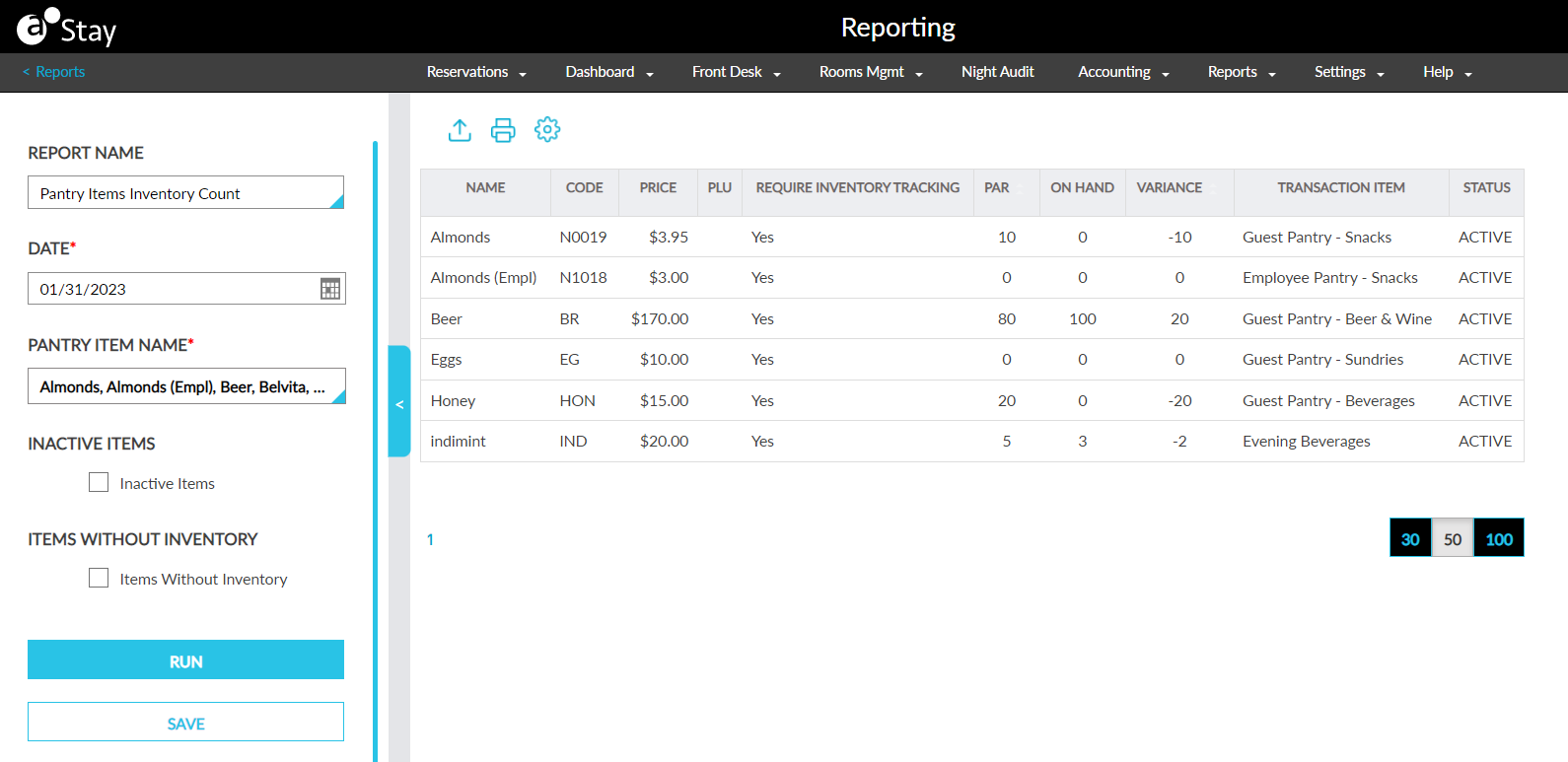
The preferred quantity configured for each pantry item is also updated in the Pantry Items Inventory Count report.
Feature Setting
-
Name: Pantry
-
Value: Enabled
-
Comments: License required. Contact Agilysys.
To support this feature the following changes have been made:
-
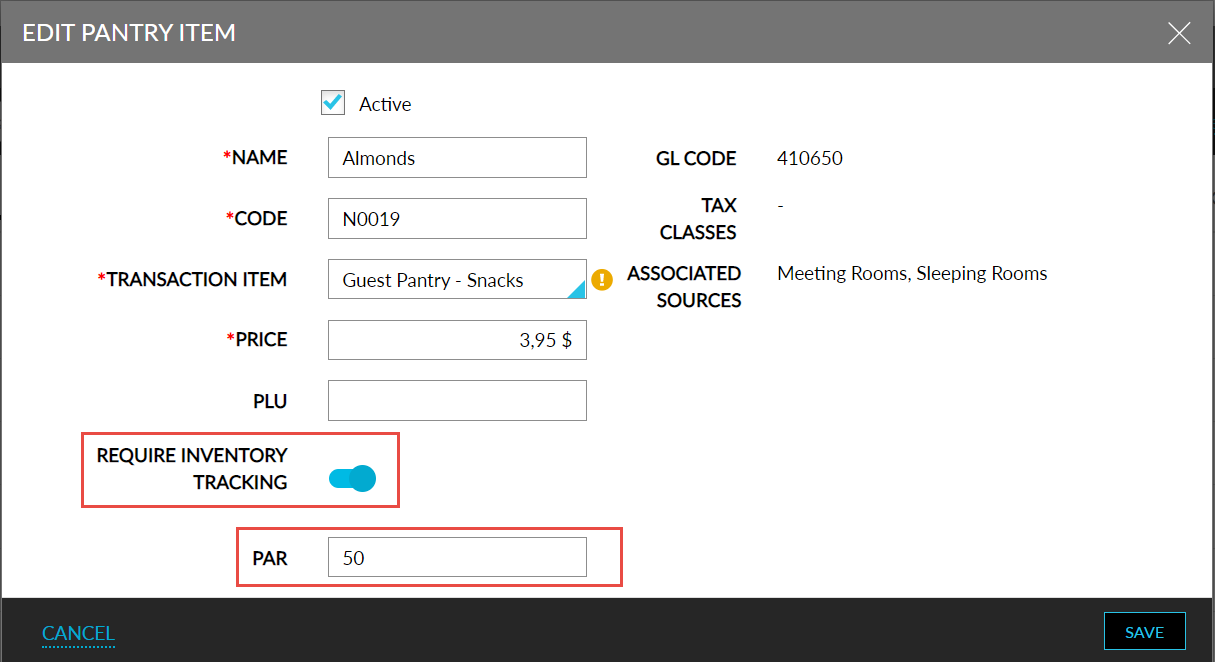
The Require Inventory Tracking flag in the Add Pantry Item screen is made non-mandatory. Users can choose to enable the flag or leave it disabled.
-
The existing field Total Quantity is removed, and a new field, PAR (Periodic Automatic Replenishment), is added to the Add Pantry Item screen of the Pantry Setup screen when the Require Inventory Tracking flag is enabled. Users can configure the preferred quantity for each pantry inventory item in this field.
-
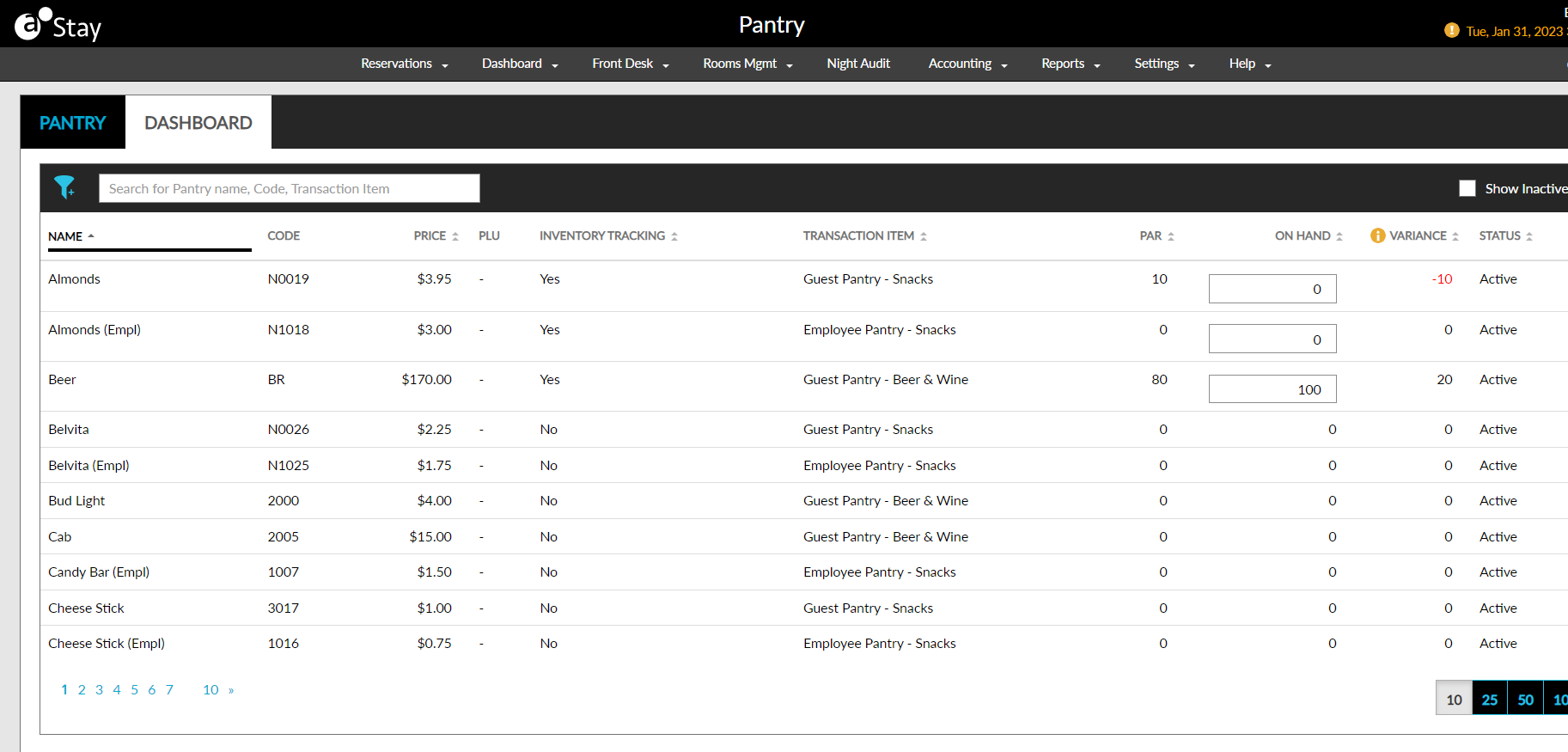
A new tab, Dashboard, is added to the Pantry screen (Front Desk ➜ Pantry). Users with the StayManagePantryAvailability permission will be able to view and modify the dashboard section.
-
The Pantry option in the Front Desk menu will be displayed only to users with the AddPantry permission.
-
The details configured for the pantry inventory item in the Pantry Setup screen is displayed in the Pantry dashboard. The pantry dashboard displays the following additional details:
-
On Hand - The quantity of the pantry inventory item that is currently available to be sold. The available quantity will be automatically recalculated whenever the pantry item is sold. Users with the new StayManagePantryAvailability permission are allowed to update the On Hand value. This permission is provided to users with access to the following roles:
-
System Administrator
-
Stay Hotel Manager
-
Department Manager
-
Stay Hotel Supervisor
-
GSA Supervisor
-
-
Variance - The difference between the available quantity (on hand) and PAR. This is a read-only field. The variance is displayed in red when the value is negative.
-
-
The pantry dashboard can be filtered based on the following options:
-
Status
-
Inventory Tracking
-
Transaction Item
-
-
Users can search for a record in the pantry dashboard based on the following options:
-
Name
-
Code
-
Transaction Item
-
-
Users can sort the records based on the following options:
-
Name
-
Status
-
Price
-
Inventory Tracking
-
Transaction Item
-
PAR
-
Available Quantity
-
PAR Level
-
-
Pantry Items Inventory Count Report - The following changes are made to this report:
-
The total quantity column is removed.
-
Two new columns, PAR, and Variance, are added. These columns display the details for the pantry inventory item from the pantry dashboard.
-